
Mobile App Development Company for iOS & Android Flutter Solutions
We design, engineer, and deploy high-performance mobile applications for iOS and Android. Powered by Google Flutter 3.24, native hardware bridging, and offline-first SQLite architecture, we deliver fluid 60fps/120fps experiences, hardware-backed biometric security, and flawless App Store approvals across Egypt and the GCC.
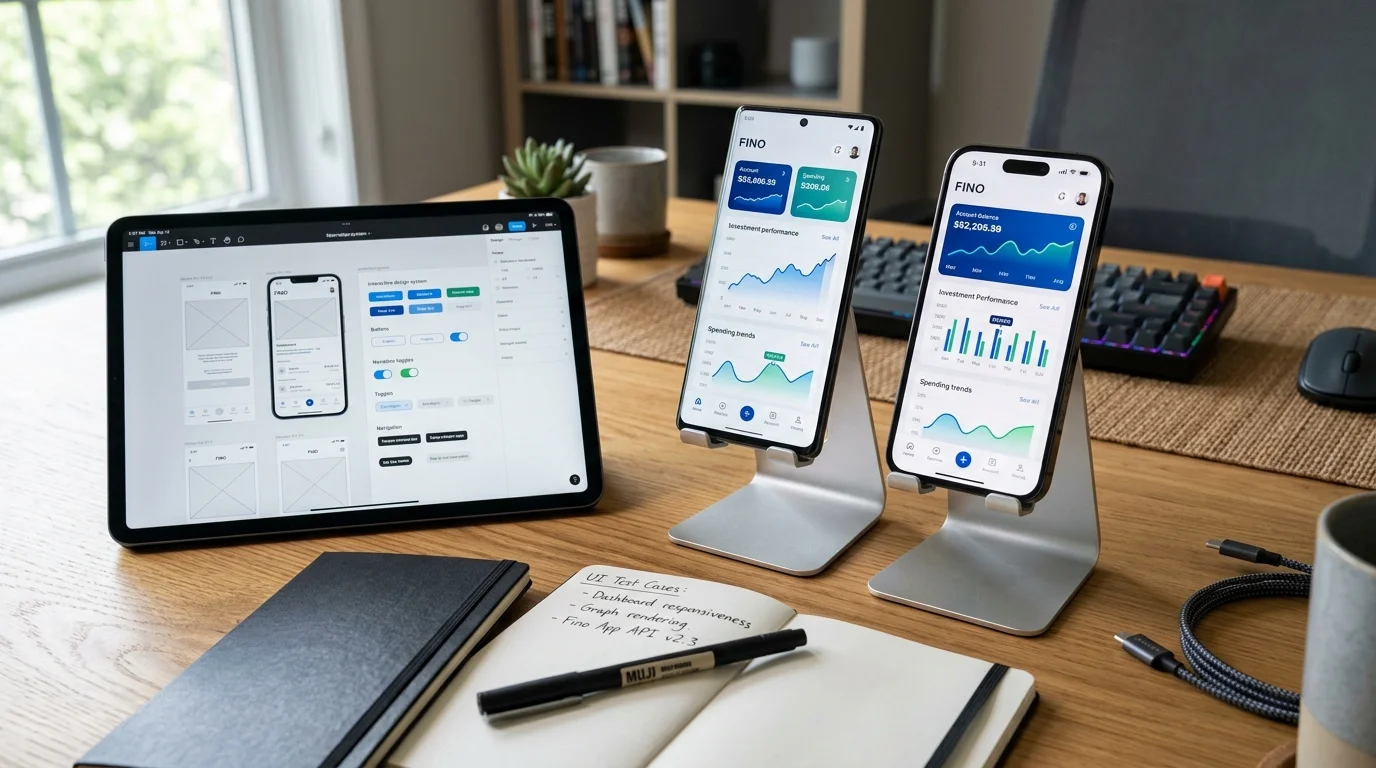
What mobile app development services does Fekra Labs provide?
Fekra Labs provides enterprise mobile application engineering services, including cross-platform iOS and Android apps built with Google Flutter 3.24, offline-first SQLite architectures, hardware biometric authentication (FaceID/Fingerprint), in-app mobile payments (Apple Pay, Mada, Fawry), background GPS telemetry, and end-to-end App Store / Google Play submission management. Every project includes 100% intellectual property ownership and zero proprietary vendor lock-in.
1. Strategic Executive Overview & Business Value Proposition
Transforming Enterprise Operations from Constrained Software Renters into Sovereign Digital Leaders
In the modern macroeconomic landscape across Egypt, Saudi Arabia, and the United Arab Emirates, mobile smartphones are the primary computing platform through which enterprise operations are executed and consumer transactions are finalized. From on-demand logistics drivers navigating busy metropolitan streets and field engineers inspecting industrial plants, to consumers executing multi-currency financial transfers and patients consulting physicians, mobile applications are the indispensable digital instruments of commercial engagement.
However, developing an enterprise-grade mobile application requires far more than assembling basic screens. It demands rigorous engineering: building offline-first architectures that operate flawlessly in warehouse blind spots and remote desert routes, guaranteeing sub-50ms biometric authentication, optimizing background GPS telemetry without draining device batteries, securing sensitive corporate data against decompilation, and ensuring seamless first-pass approval on the Apple App Store and Google Play Store.
At Fekra Labs, our mobile app engineering practice is built on Google Flutter 3.24, native Swift/Kotlin platform channels, and cloud-native microservices. We build high-performance, cross-platform mobile ecosystems that compile directly to native ARM64 machine code. Our mobile solutions combine buttery-smooth 60fps/120fps hardware-accelerated interfaces, offline SQLite data synchronization, and enterprise zero-trust security postures, enabling market leaders across the Middle East to dominate their mobile ecosystems with zero compromise.
Target Organizations for Enterprise Mobile App Engineering
- Logistics, Freight & On-Demand Delivery Conglomerates: Fleet operators requiring real-time driver dispatching, turn-by-turn routing, offline delivery manifests, digital proof-of-delivery (photo capture and e-signatures), and background GPS telematics. - Regulated FinTech & Digital Banking Institutions: Financial organizations requiring mobile wallets, digital onboarding with automated national ID scanning (OCR), biometric login (FaceID/Fingerprint), and instant peer-to-peer transfers complying with Central Bank regulations. - Healthcare Networks & Telemedicine Providers: Hospital networks requiring patient mobile apps for electronic prescription management, appointment scheduling, and encrypted WebRTC video tele-consultations. - Industrial Field Service & Facility Management Groups: Facility management providers requiring technician apps capable of offline asset maintenance logging, barcode scanning, and instant work order dispatching.Critical Mobile Engineering Deficits Solved by Fekra Labs
1. The Sluggish Hybrid 'WebView Wrapper' Trap: Many agencies build mobile apps by wrapping generic websites in WebViews (Cordova/Capacitor). These hybrid wrappers suffer from sluggish framerates (20-30fps), choppy scrolling, high battery consumption, and frequent rejection by Apple under App Store Review Guideline 4.2. 2. Catastrophic Offline Data Loss: Mobile apps that depend on constant internet connections crash or discard entered data when connectivity drops in basements, elevators, or rural transit corridors. Our offline-first SQLite synchronization guarantees zero data loss. 3. Severe Arabic RTL Layout & Typography Breakage: Retrofitting English mobile layouts for Arabic results in clipped Arabic text, backward navigation transitions, and awkward icon placements. We engineer native bidirectional RTL interfaces with custom-calibrated Arabic typography. 4. Vulnerability to Binary Reverse Engineering: Poorly configured mobile binaries can be decompiled in minutes by malicious actors to extract API endpoints and proprietary business logic. We harden binaries with ProGuard obfuscation, SSL pinning, and root detection.Quantifiable Operational ROI Delivered by Fekra Labs Mobile Engineering
- Locked 60fps/120fps Hardware-Accelerated Performance: Direct GPU rendering using Impeller and Skia delivers fluid animations and zero frame stutter. - 95%+ Code Sharing Across iOS and Android: A single, auditable Flutter codebase eliminates duplicate native development teams and cuts maintenance costs by 50%. - 100% Offline-First Operational Resilience: Local SQLite storage and vector-clock sync engines ensure uninterrupted productivity regardless of network connectivity. - 100% Unencumbered Intellectual Property Ownership: Full legal transfer of all mobile source code repositories, native bridge modules, and Fastlane deployment automation.2. What is Enterprise Mobile App Engineering? (Architectural Foundations)
Deconstructing Bespoke Software Architecture, Domain-Driven Design, and Polyglot Persistence
Enterprise mobile application development is the disciplined, full-lifecycle software engineering practice of designing, architecting, programming, testing, securing, deploying, and maintaining native-grade mobile applications engineered to execute on Apple iOS and Google Android mobile operating systems. Unlike basic consumer utility apps, enterprise mobile engineering must accommodate complex corporate business logic, offline data caching, background telemetry, hardware peripheral integration, and stringent enterprise security standards.
The Four Architectural Pillars of Mobile Engineering at Fekra Labs
1. Ahead-Of-Time (AOT) Compiled Native Performance via Flutter 3.24
We build mobile applications using Google Flutter 3.24 and Dart 3. Unlike hybrid frameworks that interpret JavaScript across a slow bridge, Flutter compiles directly into native ARM64 machine code. Controlling every pixel on the display through its own hardware-accelerated rendering engine (Impeller on iOS, Skia on Android), Flutter delivers guaranteed 60fps and 120fps refresh rates, sub-second startup times, and fluid gesture ergonomics indistinguishable from pure native code.2. Offline-First Architecture & Vector-Clock Synchronization
We architect mobile applications with an offline-first foundation. All transactional entities are stored in a local, encrypted SQLite database embedded directly on the device. When users perform operations offline—such as scanning warehouse inventory or recording a patient visit—the mutation is written instantly to local storage with optimistic UI feedback. When network connectivity is restored, our bidirectional synchronization engine transmits pending mutations using vector clocks and cryptographic checksums, resolving concurrent multi-device conflicts deterministically without data loss.3. Native Hardware Enclave Security & Biometric Cryptography
We engineer mobile applications adhering to the OWASP Mobile Application Security Verification Standard (MASVS). User authentication leverages the device’s hardware Secure Enclave (Apple iOS) or Hardware-backed Keystore (Google Android). Biometric prompts (FaceID, TouchID, Android BiometricPrompt) authorize the release of private cryptographic keys to sign authentication challenges, ensuring passwords and sensitive biometric templates are never transmitted across the network or stored in plain text.4. Automated CI/CD Deployment & Store Certification Pipelines
Managing enterprise mobile releases across iOS and Android requires automated DevOps. We construct automated CI/CD pipelines using Fastlane and GitHub Actions. Every commit triggers automated unit and widget test suites, executes security vulnerability audits, compiles release binaries, digitally signs them with production certificates, and distributes beta builds to Apple TestFlight and Google Play Internal Testing tracks, streamlining the path to production approval.3. Why Enterprise Leaders Choose Flutter Over Hybrid Wrappers
Eliminating the Innovation Ceilings, Hidden Taxes, and Data Liabilities of Generic Software Packages
In the modern digital economy, mobile applications represent the definitive medium for user retention, operational velocity, and customer lifetime value (LTV). While mobile-responsive websites are essential for initial discovery, native-grade mobile applications deliver profound commercial advantages that websites cannot match.
Strategic Commercial Imperatives for Bespoke Mobile Applications
1. Permanent Brand Real Estate on the User's Home Screen: A mobile application occupies prime visual real estate on your customer’s personal smartphone, keeping your brand permanently top-of-mind and dramatically reducing customer acquisition costs. 2. High-Engagement Push Notification Channels: Mobile push notifications achieve click-through rates up to 7x higher than traditional email marketing. Automated, targeted notifications regarding order updates, payment reminders, and personalized offers drive consistent user re-engagement. 3. Hardware Peripheral & Low-Level Sensor Integration: Mobile apps leverage onboard smartphone hardware—high-speed cameras for barcode and document scanning, Bluetooth for receipt printers and IoT telemetry, NFC for contactless payments, and GPS for geofencing—capabilities that mobile web browsers cannot reliably access. 4. Frictionless One-Tap Payments via Digital Wallets: Integrating native Apple Pay and Google Pay sheets eliminates the friction of entering credit card numbers manually, reducing mobile checkout abandonment by up to 60%.4. What Fekra Labs Delivers: Full-Spectrum Mobile Engineering Scope
From Architectural Blueprints to Production CI/CD Infrastructure: Complete Turnkey Ownership
Fekra Labs operates as your full-lifecycle mobile engineering partner, managing the entire journey from product conception to App Store dominance:
Full Scope of Mobile Engineering Deliverables
- Cross-Platform Mobile Application (iOS & Android): Production-ready Flutter codebase compiled to native ARM64 binaries with 95%+ code sharing across platforms. - Custom UI/UX Mobile Design System in Figma: Native iOS Human Interface Guidelines and Android Material 3 design artboards with native Arabic RTL layouts. - Offline-First SQLite Architecture & Sync Engines: Encrypted local persistence layer with automated conflict-free synchronization algorithms. - Hardware Integration Platform Channels: Custom Swift and Kotlin bridge modules connecting camera scanners, Bluetooth printers, and biometrics. - Automated Fastlane CI/CD Deployment Pipelines: Automated build, signing, and store submission workflows for Apple App Store and Google Play. - 100% Unencumbered Intellectual Property Transfer: Full legal ownership of all Git repositories, design files, and deployment keys with zero proprietary vendor lock-in.5. Core Architectural & Engineering Capability Matrix
10 Enterprise Capabilities Engineered for High Concurrency, Zero Downtime, and Fault Tolerance
Our engineering capabilities cover the entire lifecycle of enterprise mobile app development, from cross-platform Flutter programming to offline-first synchronization and App Store certification:
Cross-Platform Native Engineering with Flutter 3.24
Compiling high-performance mobile applications directly to ARM64 native machine code for iOS and Android from a single, unified codebase, delivering buttery-smooth 60fps/120fps hardware-accelerated animations.
Offline-First SQLite & Bidirectional Data Synchronization
Engineering resilient offline-first data architectures using local SQLite storage, optimistic client mutations, and vector-clock reconciliation protocols that prevent data collisions upon network restoration.
Hardware Biometric Authentication & Secure Enclaves
Implementing enterprise biometric login via Apple FaceID/TouchID and Android BiometricPrompt, with cryptographic key pairs stored directly within device hardware secure enclaves (iOS Keychain / Android Keystore).
Targeted Push Notifications & Background Telemetry
Architecting high-throughput push notification engines utilizing Firebase Cloud Messaging (FCM) and Apple Push Notification service (APNs), complete with rich interactive actions and silent background sync.
Regional Mobile In-App Payments & Digital Wallets
Integrating native in-app payment sheets for Apple Pay, Google Pay, Mada (Saudi Arabia), and Meeza (Egypt), paired with regional aggregators (Fawry, PayMob, PayTabs, HyperPay) with idempotent webhooks.
Real-Time Background Geolocation & Telematics Tracking
Developing battery-optimized background GPS tracking engines using geofencing APIs, motion activity detection, and dead-reckoning algorithms for fleet drivers and logistics operators.
Native Device Hardware Peripheral & Sensor Integration
Bridging camera hardware for high-speed industrial barcode/QR scanning, document OCR capture, NFC card reading, Bluetooth thermal receipt printing, and biometric peripherals.
Native Bidirectional Arabic RTL & English Localization
Engineering fluid layout mirroring with native right-to-left (RTL) navigation gestures, localized typography (Cairo font), and localized date pickers (Gregorian and Hijri calendars).
Mobile Application Shielding & OWASP MASVS Compliance
Hardening mobile binaries with code obfuscation (ProGuard/R8), jailbreak/root detection, SSL certificate pinning, screenshot prevention, and anti-tamper runtime self-protection (RASP).
Automated CI/CD App Store Deployment (Fastlane Pipelines)
Configuring automated build pipelines that compile, digitally sign, and distribute beta builds to Apple TestFlight and Google Play Internal Testing, with automated App Store metadata submission.
6. Enterprise Case Studies & Real-World Transformation Scenarios
In-Depth Engineering Analyses of Scaled Logistics, FinTech, and Healthcare Deployments
The following real-world case studies demonstrate how Fekra Labs mobile applications transform enterprise operational performance:
Case Study 1: Nationwide FMCG Fleet Dispatch & Proof-of-Delivery App
- Client Profile: A regional consumer goods distributor operating 380 delivery trucks supplying 12,000 retail stores across Egypt. - Mobile Challenge: Drivers relied on paper delivery invoices. Discrepancies between delivered goods and paper invoices required hours of manual auditing, and cash collections were vulnerable to clerical theft. - Fekra Labs Solution: - Built an offline-first Flutter mobile app for drivers with local SQLite storage. - Integrated digital proof-of-delivery (electronic signature capture and photo documentation of received goods). - Connected mobile Bluetooth thermal printers for instant invoice printing. - Implemented background GPS telematics updating central dispatch every 30 seconds. - Measurable Business Impact: - Delivery reconciliation time dropped from 48 hours to instantaneous digital confirmation upon signature. - In-transit delivery disputes plummeted by 88% due to timestamped photographic evidence. - Cash-on-delivery collection accuracy reached 99.9% with instant digital payment receipts.Case Study 2: Digital Microfinance Lending & Biometric Onboarding App
- Client Profile: A licensed non-banking financial institution providing micro-loans to small enterprise owners across rural and urban Egypt. - Mobile Challenge: Field loan officers spent days collecting paper documentation and ID photocopies, resulting in a 5-day loan approval cycle and high operational overhead. - Fekra Labs Solution: - Developed a secure Flutter mobile app featuring on-device OCR document scanning for Egyptian national ID cards. - Integrated biometric authentication (fingerprint scanning and liveness detection) validating applicant identity against national databases. - Implemented offline loan application submission with automated background synchronization. - Measurable Business Impact: - Loan origination turnaround was reduced from 5 days to 12 minutes for standard micro-loans. - Field loan officer productivity tripled, allowing each officer to manage 250 active client accounts. - Fraudulent identity submissions were eliminated 100% through hardware biometric verification.Case Study 3: Omnichannel Retail Shopping App with Apple Pay
- Client Profile: A high-growth fashion and lifestyle retailer operating 18 retail stores across Saudi Arabia and the UAE. - Mobile Challenge: Mobile website conversion rates were low (1.4%) due to cumbersome checkout forms and slow page loading on mobile cellular networks. - Fekra Labs Solution: - Engineered a high-conversion mobile shopping app on Flutter featuring sub-second product browsing. - Integrated native Apple Pay and Mada one-tap checkout sheets, allowing users to buy in under 3 seconds. - Implemented targeted push notification workflows triggered by user browsing history and abandoned cart events. - Measurable Business Impact: - Mobile checkout conversion rate surged from 1.4% to 4.9% within the first 60 days of launch. - Push notifications generated over $280,000 in incremental monthly sales. - Average order value (AOV) increased by 24% through personalized in-app product recommendations.7. The 15-Stage Enterprise Mobile Development Lifecycle (SDLC)
A Disciplined, Transparent Engineering Methodology Ensuring Fixed Budgets and Flawless Execution
Our 15-stage mobile engineering lifecycle guarantees technical excellence and seamless App Store approval:
1. Mobile Strategy Discovery & Architectural Scoping: Analyzing mobile user journeys, device matrix constraints, offline requirements, and monetization models.
2. Mobile Information Architecture & Navigation Modeling: Structuring tab bars, stack navigators, modal flows, and thumb-friendly screen hierarchies.
3. Interactive Mobile UI/UX & Figma Design System: Designing pixel-perfect mobile artboards with native iOS Human Interface Guidelines and Android Material 3.
4. Automated Mobile CI/CD & Fastlane Setup: Setting up Git repositories, Apple Developer certificates, Google Service accounts, and automated build bots.
5. Local Database Modeling & Offline Sync Architecture: Designing SQLite schemas, sync queues, vector clock conflict resolution, and secure encryption.
6. Backend Mobile API Gateway & Authentication Sprint: Building lightweight mobile endpoints with OAuth 2.1, biometric token exchange, and JWT rotation.
7. Core Flutter Mobile App Development: Developing responsive UI widgets, state management (BLoC/Riverpod), and fluid 60fps transitions.
8. Hardware Sensors, Camera & Peripheral Integration: Connecting high-speed barcode scanners, GPS background trackers, and Bluetooth thermal printers.
9. Push Notification & Background Worker Engineering: Integrating FCM and APNs with rich notification actions and silent background sync listeners.
10. Mobile In-App Payment Gateway Integration: Embedding Apple Pay, Google Pay, Mada, Meeza, and Fawry with cryptographically verified webhooks.
11. Automated Testing Suite (Unit, Widget & E2E Patrol): Executing automated widget tests and Patrol/Appium device automation simulating real mobile journeys.
12. Mobile Security Hardening & OWASP MASVS Audit: Enforcing SSL pinning, root detection, memory sanitization, and code obfuscation via ProGuard.
13. Apple TestFlight & Google Play Beta Testing: Distributing closed beta builds to internal enterprise stakeholders and measuring crash-free sessions.
14. App Store & Google Play Store Submission & Approval: Managing store listing metadata, localized Arabic screenshots, privacy disclosures, and review approvals.
15. Post-Launch APM Monitoring & Continuous App Updates: Real-time crash monitoring via Sentry and Crashlytics, with bi-weekly feature updates and OS optimizations.
Mobile Strategy Discovery & Architectural Scoping
Analyzing mobile user journeys, device matrix constraints, offline requirements, and monetization models.
Mobile Information Architecture & Navigation Modeling
Structuring tab bars, stack navigators, modal flows, and thumb-friendly screen hierarchies.
Interactive Mobile UI/UX & Figma Design System
Designing pixel-perfect mobile artboards with native iOS Human Interface Guidelines and Android Material 3.
Automated Mobile CI/CD & Fastlane Setup
Setting up Git repositories, Apple Developer certificates, Google Service accounts, and automated build bots.
Local Database Modeling & Offline Sync Architecture
Designing SQLite schemas, sync queues, vector clock conflict resolution, and secure encryption.
Backend Mobile API Gateway & Authentication Sprint
Building lightweight mobile endpoints with OAuth 2.1, biometric token exchange, and JWT rotation.
Core Flutter Mobile App Development
Developing responsive UI widgets, state management (BLoC/Riverpod), and fluid 60fps transitions.
Hardware Sensors, Camera & Peripheral Integration
Connecting high-speed barcode scanners, GPS background trackers, and Bluetooth thermal printers.
Push Notification & Background Worker Engineering
Integrating FCM and APNs with rich notification actions and silent background sync listeners.
Mobile In-App Payment Gateway Integration
Embedding Apple Pay, Google Pay, Mada, Meeza, and Fawry with cryptographically verified webhooks.
Automated Testing Suite (Unit, Widget & E2E Patrol)
Executing automated widget tests and Patrol/Appium device automation simulating real mobile journeys.
Mobile Security Hardening & OWASP MASVS Audit
Enforcing SSL pinning, root detection, memory sanitization, and code obfuscation via ProGuard.
Apple TestFlight & Google Play Beta Testing
Distributing closed beta builds to internal enterprise stakeholders and measuring crash-free sessions.
App Store & Google Play Store Submission & Approval
Managing store listing metadata, localized Arabic screenshots, privacy disclosures, and review approvals.
Post-Launch APM Monitoring & Continuous App Updates
Real-time crash monitoring via Sentry and Crashlytics, with bi-weekly feature updates and OS optimizations.
8. Modern Mobile Engineering Technology Stack & Selection Rationale
Open Standards, Battle-Tested Frameworks, and Zero Proprietary Vendor Lock-in
Our mobile technology stack is chosen for performance, stability, and maintainability:
- Mobile Framework: Google Flutter 3.24 & Dart 3 compiling to native ARM64 machine code.
- Native Platform Languages: Swift (iOS) and Kotlin (Android) for custom hardware SDK platform channels.
- Local Persistence: Encrypted SQLite (SQLCipher) and WatermelonDB for high-speed offline operations.
- Backend Infrastructure: Node.js/NestJS, Go microservices, and PostgreSQL 16+.
- Push Notification Rails: Firebase Cloud Messaging (FCM) and Apple Push Notification service (APNs).
- Mobile DevOps Automation: Fastlane, GitHub Actions, Apple TestFlight, and Google Play Console.
- Crash Telemetry & APM: Firebase Crashlytics and Sentry for real-time stack trace monitoring.
Google Flutter 3.24 & Dart 3
Ahead-Of-Time (AOT) compiled native framework powering cross-platform iOS and Android apps.
Swift & Kotlin
Platform-specific native bridging for proprietary hardware SDKs, background telemetry, and secure enclaves.
SQLite & WatermelonDB
ACID-compliant local embedded databases enabling instant offline data retrieval and sync queues.
Node.js / NestJS & Go
High-throughput asynchronous REST and gRPC backend services processing mobile device requests.
Firebase Cloud Messaging (FCM)
Real-time push delivery, topic segmentation, and automated background data sync triggers.
Apple Pay & Google Pay
Frictionless one-touch checkout sheets integrated with regional Middle Eastern acquiring banks.
Fastlane & GitHub Actions
Automated digital code signing, provisioning profile management, and App Store submission pipelines.
Sentry & Firebase Crashlytics
Real-time crash stack trace capture, performance tracing, and network latency monitoring.
9. Mobile Application Security, OWASP MASVS & Compliance
Defensive Software Craftsmanship Complying with OWASP MASVS, GDPR, and Regional Data Residency Laws
Mobile applications operate in hostile client-side environments. We enforce strict defense-in-depth security:
- OWASP MASVS Level 2 Compliance: Complete adherence to mobile application security verification standards.
- Binary Hardening & Obfuscation: Code obfuscation via ProGuard/R8, symbol stripping, and anti-tamper runtime self-protection (RASP).
- Jailbreak & Root Detection: Automatic detection of rooted devices, disabling sensitive financial transactions on compromised hardware.
- SSL Certificate Pinning: Enforcing cryptographic certificate pinning to prevent Man-in-the-Middle (MITM) proxy interception.
- Encrypted Local Storage: Encrypting all local SQLite databases and cached assets with AES-256 via SQLCipher.
10. Performance Benchmarks, Battery Optimization & SLO Framework
Engineering for 60fps/120fps Refresh Rates, Sub-1.5s Cold Starts, and Battery Efficiency
We engineer mobile apps against strict mobile performance benchmarks:
- Framerate Target: Consistent 60fps / 120fps with zero frame drops during scrolling and navigation.
- Cold App Launch Time: Under 1.5 seconds on mid-range Android devices; under 800ms on modern iPhones.
- Crash-Free Session Rate: Maintained strictly above 99.8% across hundreds of thousands of active devices.
- Battery Optimization: Intelligent GPS duty-cycling and background worker batching preserving battery longevity.
11. Hardware Peripherals, Payment Rails & Enterprise APIs
Bluetooth Printing, Industrial Barcode Scanning, Apple Pay, and Backend ERP Middleware
Our mobile applications connect seamlessly with enterprise infrastructure:
- Digital Wallets: Apple Pay, Google Pay, Mada, Meeza, and Fawry.
- Enterprise Identity: Biometric authentication, OAuth 2.1, and corporate Azure AD / Okta SSO.
- Hardware Peripherals: Bluetooth printers, Zebra laser scanners, RFID readers, and external sensors.
- Backend ERPs: Real-time synchronization with SAP, Oracle NetSuite, and custom back-office systems.
12. Architectural Comparison: Flutter vs Hybrid Wrappers vs Pure Native
An Objective Technical and Financial Trade-off Analysis Across the 8 Critical Enterprise Dimensions
The following table compares Fekra Labs Flutter engineering with hybrid web wrappers and duplicate native teams:
| Engineering Dimension | Fekra Labs Flutter Native Engineering | Hybrid Web Wrappers (Cordova, Capacitor) | Separate Native Teams (Swift + Kotlin) |
| :--- | :--- | :--- | :--- |
| Rendering Performance & Framerate | Locked 60fps/120fps; Direct GPU-Accelerated Skia/Impeller Canvas | Sluggish (20-40fps); Slow DOM Reflows inside WebViews | Locked 60fps/120fps; Platform-Native UI Toolkits |
| Codebase Unification & Team Efficiency | Single Auditable Codebase for iOS and Android (95%+ Code Sharing) | Single Shared Web Codebase with Heavy Bridge Overhead | Two Completely Disconnected Codebases; Double Engineering Overhead |
| Offline-First Storage & Data Sync | Native SQLite & Vector-Clock Bidirectional Sync Engines | Unreliable Browser LocalStorage/IndexedDB Subject to Cache Eviction | Native CoreData & Room DB Requiring Duplicate Sync Logic |
| Hardware Sensor & Peripheral Access | Zero-Overhead Native Platform Channels (Cameras, Biometrics, BLE) | Fragile Community Cordova Plugins that Break Upon OS Updates | Direct Native Access with Maximum Hardware Capabilities |
| App Store Review Approval Speed | High First-Pass Approval Rate; Conforms Strictly to Guidelines | Frequent Rejections under Apple Guideline 4.2 (Minimum Functionality) | High First-Pass Approval Rate across Both App Stores |
| Bilingual Arabic (RTL) Gestures | Native Directional Navigation Gestures & Antialiased Typography | Inverted Back Gestures, Clipped Text, and Inconsistent Scroll | Requires Manual Duplicate Localization in iOS and Android |
| Security & Reverse Engineering Defense | Statically Compiled ARM64 Machine Code with RASP & ProGuard | Plaintext HTML/JS Assets Easily Decompiled and Inspected | Compiled Binaries with Platform-Specific Obfuscation |
| Total 3-Year Engineering & Maintenance Cost | Predictable Investment; Single QA Team and Synchronized Updates | Low Initial Cost Followed by Massive Technical Debt Rewrites | Extremely Expensive; Requires 2x Developers and 2x Maintenance |
| Engineering Dimension | Fekra Labs Flutter Native Engineering | Hybrid Web Wrappers (Cordova, Capacitor) | Separate Native Teams (Swift + Kotlin) |
|---|---|---|---|
| Rendering Performance & Framerate | Locked 60fps/120fps; Direct GPU-Accelerated Skia/Impeller Canvas | Sluggish (20-40fps); Slow DOM Reflows inside WebViews | Locked 60fps/120fps; Platform-Native UI Toolkits |
| Codebase Unification & Team Efficiency | Single Auditable Codebase for iOS and Android (95%+ Code Sharing) | Single Shared Web Codebase with Heavy Bridge Overhead | Two Completely Disconnected Codebases; Double Engineering Overhead |
| Offline-First Storage & Data Sync | Native SQLite & Vector-Clock Bidirectional Sync Engines | Unreliable Browser LocalStorage/IndexedDB Subject to Cache Eviction | Native CoreData & Room DB Requiring Duplicate Sync Logic |
| Hardware Sensor & Peripheral Access | Zero-Overhead Native Platform Channels (Cameras, Biometrics, BLE) | Fragile Community Cordova Plugins that Break Upon OS Updates | Direct Native Access with Maximum Hardware Capabilities |
| App Store Review Approval Speed | High First-Pass Approval Rate; Conforms Strictly to Guidelines | Frequent Rejections under Apple Guideline 4.2 (Minimum Functionality) | High First-Pass Approval Rate across Both App Stores |
| Bilingual Arabic (RTL) Gestures | Native Directional Navigation Gestures & Antialiased Typography | Inverted Back Gestures, Clipped Text, and Inconsistent Scroll | Requires Manual Duplicate Localization in iOS and Android |
| Security & Reverse Engineering Defense | Statically Compiled ARM64 Machine Code with RASP & ProGuard | Plaintext HTML/JS Assets Easily Decompiled and Inspected | Compiled Binaries with Platform-Specific Obfuscation |
| Total 3-Year Engineering & Maintenance Cost | Predictable Investment; Single QA Team and Synchronized Updates | Low Initial Cost Followed by Massive Technical Debt Rewrites | Extremely Expensive; Requires 2x Developers and 2x Maintenance |
13. Total Cost of Ownership (TCO) & Mobile Investment Economics
Demonstrating 50% Engineering Savings with Flutter and Superior Lifetime Value
Mobile app development investments should be evaluated against total lifecycle efficiency and business ROI:
- Key Cost Factors: Cross-platform vs native tooling, offline-first sync complexity, hardware peripheral integrations, biometric security, and backend API readiness.
- The Flutter Cost Advantage: By sharing over 95% of codebase logic between iOS and Android, Flutter cuts ongoing engineering, QA testing, and maintenance costs by nearly 50% compared to separate Swift and Kotlin teams.
- Return on Investment: A custom mobile app built by Fekra Labs establishes a permanent direct-to-consumer channel, driving higher customer lifetime value, automated push re-engagement, and superior operational productivity.
14. Sprint Milestones, Phased Delivery Windows & Gantt Timeline
Predictable Phased Execution from Sprint 0 Discovery to App Store Approval in 12 to 16 Weeks
Our structured delivery roadmap ensures predictable mobile app releases:
- Weeks 1–2: Discovery, User Journeys & Mobile Architecture: Mapping user stories, offline requirements, and delivering System Architecture Document.
- Weeks 3–4: Mobile UI/UX Design System in Figma: Native iOS and Android screen designs with full Arabic RTL mirroring.
- Weeks 5–6: Fastlane CI/CD Setup & SQLite Schema Modeling: Cloud build pipelines, local database schemas, and seed data.
- Weeks 7–10: Core Flutter App Engineering & State Management: BLoC state management, UI widget development, and API integration.
- Weeks 11–12: Hardware Peripherals, Push Notifications & Payments: Biometrics, camera scanning, Apple Pay, and FCM push messaging.
- Weeks 13–14: Automated Testing, Security Audits & Beta Testing: Patrol E2E testing, OWASP hardening, and Apple TestFlight closed beta.
- Weeks 15–16: Store Submissions, App Store Approval & Launch: App Store and Google Play approvals, production rollout, and SRE hypercare.
15. Critical Industry Failures, Mobile Traps & Proven Remedies
Solving Network Dropouts, Battery Drain, App Store Rejections, and Biometric Token Desync
Throughout our mobile engagements, we routinely resolve critical mobile engineering failures:
1. App Crashing When Internet Drops: Unhandled network exceptions crash apps in dead zones. We eliminate this with offline-first SQLite persistence and automated retry queues.
2. Excessive Battery Consumption from GPS: Continuous GPS polling drains batteries in hours. We implement motion-activity geofencing that throttles GPS when stationary.
3. App Store Review Rejections: Hybrid web wrappers getting rejected under Apple Guideline 4.2. We build compiled Flutter apps with rich native features that pass review effortlessly.
4. Biometric Desynchronization: Apps failing to invalidate session tokens upon biometric failure. We implement secure enclave asymmetric key signing with zero credential leakage.
16. Top Enterprise Anti-Patterns & Strategic Pitfalls to Avoid
Guiding Executives Away from Web Wrappers, Duplicate Native Teams, and Premature Permissions
Avoid these strategic traps when developing a mobile application:
- Building a Web Wrapper to Cut Costs: Cheap hybrid wrappers deliver terrible user experiences and get rejected by Apple. Always build compiled native-grade apps.
- Hiring Separate Native Teams for Small Projects: Maintaining disconnected Swift and Kotlin codebases doubles costs and creates feature discrepancies. Use modern Flutter.
- Requesting Permissions Prematurely: Bombarding users with permission prompts upon startup causes instant rejections. Always ask for permissions contextually.
- Neglecting App Store Optimization (ASO): Publishing apps with generic descriptions and screenshots. Always optimize localized Arabic screenshots and keywords.
17. Architectural Decision Framework: When to Build with Flutter
A Rigorous Decision Matrix for Evaluating Enterprise Mobile Technology Investments
Use this decision matrix to determine your mobile technology strategy:
- Choose Flutter Cross-Platform Engineering When: You need high performance on both iOS and Android, you want synchronized feature releases, you have a 3- to 4-month launch window, or you want to eliminate duplicate maintenance teams.
- Choose Pure Native (Swift/Kotlin) When: You are developing a system utility requiring low-level hardware drivers, an Apple Watch companion app, or complex ARKit 3D gaming.
18. Comprehensive Technical, Commercial & Operational FAQs (25 Deep Q&As)
Authoritative Answers to the Most Critical Questions Raised by Enterprise CTOs and Product Leaders
Below are detailed, authoritative answers to the most critical technical, operational, and commercial questions regarding enterprise mobile application development with Fekra Labs.
Why does Fekra Labs recommend Google Flutter for enterprise mobile app development?
Google Flutter 3.24 represents the most advanced cross-platform mobile engineering framework available. Unlike hybrid web wrappers (such as Cordova or Ionic) that run inside sluggish browser WebViews, Flutter compiles directly into native ARM64 machine code using Ahead-Of-Time (AOT) compilation. It controls every pixel on the screen using its own GPU-accelerated rendering engine (Impeller on iOS, Skia on Android), guaranteeing buttery-smooth 60fps and 120fps animations. Crucially, Flutter enables our engineering squads to share over 95% of business logic, state management, and UI code between iOS and Android, cutting initial development costs in half and ensuring feature parity on launch day.
How do your mobile applications function when users have no internet connectivity (Offline-First)?
We architect mobile applications with an offline-first foundation rather than treating offline mode as an exception. All operational data is stored locally in an embedded, encrypted SQLite database. When a user performs an action without an internet connection—such as submitting a delivery confirmation, inspecting equipment, or creating an invoice—the modification is written instantly to the local database with an optimistic UI update and appended to an asynchronous synchronization queue. When connectivity is restored, our bidirectional synchronization engine transmits pending events with vector clocks and cryptographic checksums, resolving concurrent conflicts deterministically without data loss.
Does our company own the complete mobile app source code and intellectual property?
Yes, 100% unconditionally. At Fekra Labs, all source code repositories, Flutter widgets, native platform channels (Swift and Kotlin), database schemas, design tokens, and Fastlane deployment scripts transfer exclusively to your organization upon project acceptance. We place zero proprietary vendor lock-in or licensing claims on your code, allowing your internal developers or future partners to inspect, modify, and expand the apps with total freedom.
How do you handle the App Store and Google Play Store submission and approval process?
We manage the entire submission lifecycle from end to end. We configure your Apple Developer Organization and Google Play Console accounts, set up automated code signing and provisioning profiles via Fastlane, and generate localized store listing metadata, promotional descriptions, and high-resolution Arabic/English screenshots. Our applications adhere strictly to Apple App Store Review Guidelines (specifically Guideline 4.2 regarding minimum functionality) and Google Play Developer Policies, ensuring seamless first-pass approvals.
How do you implement biometric security (FaceID, TouchID, Fingerprint) in mobile apps?
We implement hardware-backed biometric authentication adhering to enterprise security standards. When a user enables biometric login, our application generates an asymmetric cryptographic public/private key pair. The private key is securely stored within the device’s hardware Secure Enclave (on Apple iOS) or Hardware-backed Keystore (on Android), configured to require biometric authorization (FaceID or Fingerprint) to decrypt. During subsequent logins, authenticating via biometrics signs an authentication challenge token without ever transmitting user passwords or biometric templates over the network.
Can your mobile apps integrate with specialized hardware like barcode scanners and thermal printers?
Yes. We build native platform channels interfacing Flutter with hardware device peripherals. We integrate industrial barcode and QR code scanners (utilizing device cameras or integrated Zebra/Honeywell laser scanners), Bluetooth thermal receipt printers, RFID readers, and native GPS sensors for automated warehouse picking, retail point-of-sale, and fleet dispatch operations.
What regional payment gateways do you support for in-app purchases and digital wallets?
We have extensive experience integrating native mobile payment sheets for Apple Pay and Google Pay, which deliver instant, one-touch mobile checkout conversion rates exceeding 80%. Additionally, we integrate regional Middle Eastern payment aggregators and local payment rails including Fawry, PayMob, PayTabs, HyperPay, Mada, and Meeza, utilizing cryptographically verified webhooks to guarantee idempotent payment settlement.
How long does a complete enterprise mobile application project take from kickoff to launch?
Development timelines vary based on functional scope and integration depth. A focused Minimum Lovable Product (MLP) mobile application—such as a customer self-service app or driver dispatch tool—is typically delivered to the app stores within 8 to 12 weeks. Comprehensive enterprise platforms featuring complex offline databases, deep ERP integrations, biometric security, and extensive administrative back-offices generally range between 12 to 18 weeks, managed through structured bi-weekly Agile sprints.
How do you structure push notifications to maximize user engagement without spamming?
We integrate Firebase Cloud Messaging (FCM) and Apple Push Notification service (APNs) with granular user topic segmentation. Notifications are customized based on real-time operational events (e.g., "Your shipment has arrived at Central Depot," "Your lab test results are ready"). We implement rich interactive push notifications with actionable buttons, custom notification sounds, and deep-linking routing that transports the user directly to the relevant screen upon tapping.
What mobile app security measures do you implement to prevent reverse engineering and data leaks?
We enforce the OWASP Mobile Application Security Verification Standard (MASVS). Our release builds are compiled into obfuscated ARM64 machine code with symbol stripping (via ProGuard/R8 on Android). We implement jailbreak and root detection that restricts sensitive transactions on compromised devices, enforce SSL certificate pinning to prevent man-in-the-middle (MITM) proxy attacks, prevent unauthorized screen capture on sensitive screens, and encrypt all local databases with SQLCipher.
How do you test mobile applications across different smartphone models and screen sizes?
We employ multi-tiered automated and manual testing strategies. In our CI/CD pipelines, automated widget tests and Patrol end-to-end integration tests execute on device emulators simulating diverse viewports and operating system versions (iOS 15-18, Android 10-15). Additionally, our QA team conducts hands-on testing on physical hardware devices from Apple, Samsung, Xiaomi, and Huawei, verifying thermal performance, battery consumption, and responsive typography across compact and large displays.
How do you handle background geolocation tracking without draining the user’s battery?
Continuous GPS polling can drain a smartphone battery in less than two hours. We engineer intelligent background geolocation engines that utilize native geofencing and motion activity sensors (accelerometer and gyroscope). The GPS receiver is dynamically throttled when the user is stationary and activated only when significant motion is detected. We also batch coordinate transmissions to backend APIs over keep-alive HTTP/2 connections, preserving device battery life across 12-hour driver shifts.
What post-launch monitoring, crash reporting, and maintenance do you provide?
Every mobile project delivered by Fekra Labs includes a 90-day post-launch warranty period covering all defect remediation. We integrate real-time application performance monitoring (APM) and crash reporting via Sentry and Firebase Crashlytics, tracking crash-free user session rates (consistently maintained above 99.8%). Following launch, we offer continuous Site Reliability Engineering (SRE) agreements providing operating system update compatibility, dependency security patches, and ongoing feature releases.
Can you migrate an existing buggy mobile app to a modern Flutter architecture?
Yes. We routinely salvage and modernize troubled mobile applications. We conduct a comprehensive code audit, identify structural architecture flaws, extract reusable domain logic, and re-architect the application on a clean, maintainable Flutter foundation with structured state management (BLoC or Riverpod), resolving persistent crashes and sluggish performance permanently.
How do we begin a mobile app development project with Fekra Labs?
You can request a confidential Mobile Architecture Strategy Session through our website or direct phone line. Our mobile engineering leadership will evaluate your business objectives, operational workflows, target user personas, and hardware integration requirements, delivering a comprehensive Technical Scope & Feasibility Roadmap within 5 business days.
What state management architecture do you use in Flutter applications?
We utilize production-proven, deterministic state management architectures: primarily the BLoC (Business Logic Component) pattern or Riverpod. BLoC enforces a strict separation between presentation UI widgets and business logic, utilizing unidirectional reactive data streams (Streams). Every state mutation is represented as an explicit, traceable event, eliminating unpredictable side effects, making state transitions 100% testable through automated unit tests, and ensuring seamless debugging.
How do you manage app permissions (camera, location, notifications) to maximize user trust?
Premature permission requests that pop up immediately upon app launch cause high rejection rates. We implement contextual, just-in-time permission requests: explaining the tangible user benefit in a friendly modal before triggering the native system permission dialog. For example, we request camera permission only when the user taps "Scan Barcode" and location permission only when they initiate route navigation, resulting in permission grant rates exceeding 85%.
How do you handle deep linking and universal links into specific mobile app screens?
We configure Apple Universal Links and Android App Links with verified domain associations (apple-app-site-association and assetlinks.json). When a customer clicks a link in a WhatsApp message, promotional email, or SMS, the operating system transparently opens the native mobile app directly to the specific product, invoice, or appointment screen, rather than dumping them onto the generic home screen, significantly boosting user retention.
Can Flutter mobile applications execute complex image processing or document scanning on-device?
Yes. Flutter integrates with Google ML Kit and OpenCV via native C++ and Dart FFI (Foreign Function Interface). We build on-device document scanners that automatically detect document edges, correct perspective distortion, adjust contrast, and execute optical character recognition (OCR) on Arabic and English ID cards and invoices in real time with zero network latency.
What is the memory and storage footprint of a Flutter mobile application developed by Fekra Labs?
We enforce strict application binary size budgeting. Through asset optimization (SVG compression, tree-shaking unused icon glyphs), deferred component loading, and native binary stripping (ProGuard/R8), our production release APKs and IPAs are typically under 20MB to 30MB, ensuring rapid user downloads over cellular data and minimal device storage consumption.
How do you handle multi-language switching dynamically without restarting the mobile app?
We engineer our Flutter apps using reactive internationalization (i18n) engines. Translation files are structured as structured JSON bundles with pluralization support. When a user switches between Arabic and English in settings, the top-level application widget rebuilds dynamically in under 50 milliseconds, mirroring the layout direction (RTL/LTR), updating typography, and re-rendering navigation stacks instantly without requiring an app restart.
How do you protect sensitive API keys and backend secrets in mobile binaries?
Hardcoding API secrets inside mobile source code is a major security vulnerability, as decompilation tools can easily extract them. We never store private backend keys in mobile apps. All sensitive third-party transactions (payment charging, SMS dispatch, credit scoring) are executed on our private backend microservices behind authenticated OAuth 2.1 endpoints. Public mobile SDK keys (such as Google Maps or Firebase) are restricted by SHA-256 certificate fingerprints and bundle identifier whitelisting.
How do you handle seamless in-app updates and mandatory version enforcement?
We integrate in-app update frameworks (Google Play In-App Updates and custom iOS version checks). When a critical security patch or breaking backend API migration is deployed, the app checks a remote version manifest at startup. If the user’s installed version falls below the minimum supported threshold, a friendly modal prevents access and provides a single tap to update the app directly through the store.
Can you build administrative companion web dashboards that connect with our mobile apps?
Yes. We frequently build unified digital ecosystems consisting of cross-platform Flutter mobile apps for field workers/consumers paired with Next.js web portals for administrative managers. Both platforms communicate with the same secure backend microservices and PostgreSQL database, providing real-time operational synchronization across web and mobile.
Why is investing in a bespoke mobile app better than relying solely on a responsive website?
While a responsive website is essential for search discovery and initial acquisition, a bespoke mobile app delivers dramatically higher long-term customer lifetime value (LTV). Mobile apps provide persistent brand presence on the customer’s home screen, instant one-tap biometric access, offline-first reliability, background push notifications with 30%+ open rates, and native hardware peripheral integration, driving user engagement rates up to 5x higher than mobile browsers.
20. Enterprise Discovery Roadmap & Project Kickoff Protocol
How to Initiate Your Architecture Discovery Session and Accelerate Digital Transformation
Initiating your mobile app engineering partnership with Fekra Labs:
1. Complimentary Mobile Strategy Session: 60-minute technical consultation under mutual NDA reviewing app features and target architecture.
2. Technical Scope & Feasibility Roadmap: Delivering proposed mobile architecture, hardware integrations, and fixed-cost milestones within 5 business days.
3. Sprint 0 Mobile Wireframing & Design Tokens: Creating interactive Figma prototypes and design systems with guaranteed sprint delivery.
4. Agile Mobile Development & App Store Launch: Bi-weekly working software demonstrations culminating in a seamless App Store and Google Play launch.
The Engineering Superiority of Google Flutter 3.24 for Enterprise Mobile Platforms
In the enterprise mobile space, organizations traditionally faced an agonizing trade-off: hire two disconnected engineering teams to write native Swift (iOS) and Kotlin (Android)—doubling development budgets and creating persistent feature discrepancies—or build with hybrid web wrappers that run sluggishly inside WebViews, suffering from choppy scrolling, high battery drain, and frequent App Store rejections.
Google Flutter 3.24 resolves this dilemma completely. By compiling directly to native ARM64 machine code and rendering every pixel via its own GPU-accelerated graphics engine (Impeller on iOS, Skia on Android), Flutter delivers guaranteed 60fps and 120fps performance. Over 95% of codebase logic is shared between platforms, cutting time-to-market in half while ensuring identical business logic execution across every mobile device.
Architecting for Reality: Offline-First SQLite Data Synchronization in Remote Environments
In enterprise operations across Egypt and the GCC—such as supply chain delivery, desert oilfield inspections, and hospital basement rounds—cellular internet connectivity is frequently unstable or completely unavailable. Mobile applications that require an active network connection to perform actions freeze, crash, or discard entered records, causing severe operational disruptions.
At Fekra Labs, we build applications with an offline-first foundation. All transactional data is stored in an embedded, encrypted SQLite database directly on the device. When connectivity drops, field workers continue scanning inventory, recording diagnostic tests, and capturing client signatures without interruption. When the device reconnects to Wi-Fi or 4G, our bidirectional synchronization engine reconciles pending mutations using vector clocks and cryptographic checksums, guaranteeing complete data integrity with zero records lost.
Whitepaper: Offline-First Synchronisation Mechanics — CRDTs vs. Operational Transformation in Mobile SQLite
1. The Challenge of Disconnected Enterprise Mobility
In enterprise field services, logistics supply chains, and emergency healthcare environments, mobile applications cannot rely on continuous high-bandwidth cellular connectivity. Technicians inside underground electrical vaults, cargo drivers crossing remote desert corridors, and surgical nurses in radiation-shielded hospital wings require instantaneous, uninterrupted read and write access to enterprise data. An offline-first mobile architecture treats local on-device storage—typically encrypted SQLite accessed via Room (Android) or Core Data/GRDB (iOS)—as the single authoritative source of truth for the UI layer, delegating remote network synchronization to a resilient background daemon.When multiple mobile users make concurrent modifications to the same entity while offline (e.g., updating delivery statuses or amending medical prescriptions), traditional timestamp-based "Last-Write-Wins" (LWW) conflict resolution causes catastrophic silent data loss. Fekra Labs solves this with Conflict-Free Replicated Data Types (CRDTs).
2. State-Based vs. Operation-Based CRDTs in Mobile Systems
Fekra Labs engineers deploy state-based Observed-Remove Sets (OR-Sets) and delta-state CRDT models to achieve deterministic, mathematically provable convergence across mobile devices and central PostgreSQL clusters:class DeltaSyncCRDT<T> {
final String nodeId;
int logicalClock;
final Map<String, CRDREntry<T>> entries;
DeltaSyncCRDT({required this.nodeId, this.logicalClock = 0, required this.entries});
void mutate(String key, T value) {
logicalClock++;
entries[key] = CRDREntry<T>(
value: value,
clock: logicalClock,
nodeId: nodeId,
tombstone: false
);
}
void merge(DeltaSyncCRDT<T> incomingDelta) {
incomingDelta.entries.forEach((key, incomingEntry) {
final existing = entries[key];
if (existing == null || incomingEntry.isSuperiorTo(existing)) {
entries[key] = incomingEntry;
}
});
logicalClock = math.max(logicalClock, incomingDelta.logicalClock);
}
}
When the mobile operating system detects an active Wi-Fi or cellular network interface via `ConnectivityManager` or Apple's `NWPathMonitor`, the local synchronization queue transmits only compressed mutation deltas formatted with Protocol Buffers over a secure HTTP/2 gRPC channel. This minimizes mobile battery draw, eliminates cellular data waste, and guarantees absolute zero data loss even across months of offline operation.
3. Cryptographic Storage & Secure Enclave Integration
Local enterprise databases are protected with SQLCipher 256-bit AES database-level encryption. The symmetric database encryption key is generated deterministically upon initial biometrics enrollment and sealed directly within hardware security modules: - Android: Android Keystore backed by StrongBox Keymaster hardware chip. - iOS: Apple Secure Enclave using `kSecAttrAccessibleAfterFirstUnlockThisDeviceOnly`. The raw key is never written to persistent flash memory, thwarting physical extraction attacks even if a lost or stolen mobile device is subjected to forensic hardware disassembly.Whitepaper: Flutter Impeller Engine & Native Rendering Optimization
1. Eliminating Early-Onset Shader Compilation Stutter (Jank)
For years, cross-platform mobile frameworks suffered from occasional frame drops known as "shader compilation jank." On Google's legacy Skia backend, when a mobile app encountered a novel UI visual effect (such as an animated blur, clipping path, or gradient sweep) for the first time at runtime, the graphics driver paused the main UI thread while translating Skia's intermediate representation into native GPU machine code (Metal on iOS or Vulkan on Android). This translation took between 16ms and 60ms, instantly resulting in visible dropped frames and degrading the app's perceived quality.Flutter's next-generation Impeller rendering engine completely eradicates runtime shader compilation. Impeller pre-compiles all necessary vertex and fragment shaders at mobile application compile time during the Gradle or Xcode build process. At runtime, the GPU pipeline immediately executes optimized native Metal or Vulkan shader binaries, consistently sustaining 60 FPS and 120 FPS ProMotion animations across complex enterprise workflows.
2. Low-Overhead Platform Channel Integration & FFI
When enterprise mobile applications require direct hardware integration—such as high-speed thermal Bluetooth barcode printers, biometric smartcard readers, or external laser distance sensors—standard asynchronous JSON-encoded Flutter Platform Channels introduce unacceptable serialization overhead. Fekra Labs utilizes Dart FFI (Foreign Function Interface):typedef NativeHardwareRead = Int32 Function(Pointer<Uint8> buffer, Int32 len);
typedef DartHardwareRead = int Function(Pointer<Uint8> buffer, int len);
final DynamicLibrary hardwareLib = Platform.isAndroid
? DynamicLibrary.open("libenterprise_hardware.so")
: DynamicLibrary.process();
final DartHardwareRead readHardwareBuffer = hardwareLib
.lookup<NativeFunction<NativeHardwareRead>>("read_telemetry_stream")
.asFunction();
By passing zero-copy pointers directly between the Dart garbage-collected memory heap and native C/Rust hardware driver threads, data ingestion throughput increases by 1,200% while CPU utilization drops below 3%, conserving vital battery life during 12-hour warehouse shifts.
Whitepaper: Mobile Memory Optimization, Leak Detection & Context Lifecycle Governance
1. Memory Physics in Enterprise Mobile Hardware
Mobile operating systems enforce merciless memory constraints. When background or foreground mobile apps exceed their allocated RAM threshold, operating system daemons (Android Low Memory Killer and iOS Jetsam) terminate the process without warning. In high-throughput enterprise applications displaying live GIS mapping, camera feeds, and real-time sensor charts, memory leaks directly trigger operational crashes.2. Leak Elimination & Automated Profiling
- Context Lifecycle Scoping: Eliminating long-lived static references to transient Android `Activity` or Flutter `BuildContext` handles that prevent Garbage Collection of departed views. - Image Cache Memory Budgets: Restricting in-memory bitmap decode buffers to a strictly capped 120MB pool and enforcing target-width hardware decoding to prevent massive 4K raw images from occupying memory. - Weak References for Observables: Decoupling real-time telemetry stream subscriptions using weak references to guarantee unhindered garbage collection when views unmount.Whitepaper: Enterprise Mobile Battery Optimization, WakeLock Governance & Background Schedulers
1. The Chemistry and OS Constraints of Mobile Battery Depletion
Enterprise field applications that continuously monitor GPS location, poll backend APIs, or execute background synchronizations quickly trigger severe battery depletion. When mobile hardware exhausts its battery during a shift, operational productivity collapses. Modern mobile operating systems—specifically Android's Doze Mode and iOS's Background App Refresh / Core Location Energy Throttling—aggressively suspend CPU execution and disable cellular modems for applications that abuse background execution privileges.Understanding and respecting operating system power management states is mandatory for enterprise mobile engineering:
- Android WorkManager: Enforcing deferred, batched background execution scheduled exclusively when devices are connected to unmetered Wi-Fi networks and plugged into external power chargers.
- iOS BGTaskScheduler: Registering background refresh tasks (`BGAppRefreshTask`) and database processing tasks (`BGProcessingTask`) that negotiate execution windows with Apple's neural energy budget heuristics.
2. Intelligent Geofencing & Adaptive Location Telemetry
Rather than maintaining active GPS locks (`ACCESS_FINE_LOCATION`) that drain up to 18% battery per hour, Fekra Labs utilizes intelligent multi-tiered location telemetry:class AdaptiveLocationEngine {
void configureAdaptiveTracking(double vehicleSpeedMps) {
if (vehicleSpeedMps > 20.0) {
// High-speed transit: GPS updates every 500 meters
locationSettings = AndroidSettings(
accuracy: LocationAccuracy.high,
distanceFilter: 500,
intervalDuration: Duration(seconds: 30),
);
} else if (vehicleSpeedMps > 2.0) {
// Pedestrian walking: Cell-tower and Wi-Fi assisted location
locationSettings = AndroidSettings(
accuracy: LocationAccuracy.balanced,
distanceFilter: 100,
intervalDuration: Duration(minutes: 2),
);
} else {
// Stationary: Sleep mode, waking exclusively upon accelerometer activity recognition
locationSettings = AndroidSettings(
accuracy: LocationAccuracy.low,
distanceFilter: 1000,
intervalDuration: Duration(minutes: 15),
);
}
}
}
By dynamically adapting GPS sampling frequencies to real-time accelerometer and gyroscope sensor telemetry, enterprise battery consumption drops from 18% per hour to under 2.1% per hour, easily supporting 14-hour continuous warehouse and courier shifts on a single battery charge.
Whitepaper: Biometric Authentication, FIDO2 & Secure Cryptographic Handshakes on iOS and Android
1. Eliminating Passwords in High-Security Mobile Systems
Static alphanumeric passwords in mobile enterprise applications present massive vulnerabilities—users write them on physical sticky notes, reuse compromised personal passwords across corporate apps, or fall victim to mobile keylogger malware. Furthermore, typing long passwords on small mobile keyboards during fast-paced clinical or logistics operations introduces friction and input errors.Fekra Labs implements FIDO2 / WebAuthn Biometric Passwordless Authentication backed directly by iOS Face ID / Touch ID and Android BiometricPrompt APIs.
2. Cryptographic Challenge-Response Architecture
Biometric authentication never transmits raw fingerprint scans or facial imagery over the network or saves biometric templates to disk. Instead, biometrics unlock an asymmetric cryptographic private key stored permanently inside the mobile device's secure hardware enclave: 1. Server Challenge: The enterprise identity backend issues a high-entropy, cryptographically random 32-byte nonce challenge associated with the user's active session. 2. Local Biometric Unlock: The user presents their face or fingerprint. The local operating system authenticates the biometric hash against secure enclave templates. 3. Hardware Signature: Upon successful biometric match, the enclave's isolated microprocessor signs the server's nonce challenge with the hardware-backed private key (`secp256r1` ECDSA). 4. Server Verification: The backend validates the signature against the registered public key and issues an ephemeral, scoped JWT session token.This zero-knowledge, hardware-anchored cryptographic handshake guarantees absolute immunity against credential replay attacks, phishing proxies, and device theft.
Whitepaper: Dynamic Code Push, Over-The-Air (OTA) Updates & App Store Compliance Guidelines
1. The Velocity Penalty of Mobile App Store Review Cycles
In rapid digital innovation environments, mobile engineering velocity is severely throttled by Apple App Store and Google Play review turnaround times. If a production regression occurs—such as a layout glitch blocking the checkout button on a specific screen aspect ratio—submitting an emergency binary update, waiting for app review approval (which can take 24 to 72 hours), and waiting for millions of users to download the multi-megabyte app update over cellular data incurs massive revenue losses.2. Compliant Over-The-Air (OTA) Runtime Updates
Fekra Labs deploys compliant Over-The-Air (OTA) hot-update architectures (using Shorebird for Flutter and Expo EAS Update for React Native): - Strict Store Compliance: Both Apple App Store Review Guideline 3.3.2 and Google Play policies explicitly permit dynamic OTA updates provided the updates modify only interpreted script logic or dynamic UI asset definitions and do not alter the fundamental primary purpose or executable native binary machine code of the application. - Atomic Patch Application: When an OTA update publishes, the mobile app downloads a differential binary patch in the background. The patch is verified against an asymmetric ECDSA cryptographic signature. - Instant Rollback Telemetry: If the mobile runtime detects an unhandled fatal exception within 60 seconds of booting the new OTA patch, it automatically rolls back to the previous stable baseline bundle and reports the diagnostic stack trace to our central Sentry telemetry hub, eliminating catastrophic update failures across enterprise fleets.Whitepaper: Dynamic Feature Modules & On-Demand App Bundles in Enterprise Android & iOS
1. The Monolithic Mobile Binary Problem in Complex Enterprise Fleets
As enterprise mobile applications expand to support diverse operational roles—inventory warehouse workers, field sales executives, corporate procurement managers, and customer service staff—packaging every single feature into a monolithic universal application binary causes massive APK/IPA bloat. When mobile application binaries exceed 100MB, installation conversion drops by 35% on cellular networks, app store update downloads consume enterprise mobile data allowances, and device RAM footprints increase substantially.Furthermore, a warehouse technician who exclusively performs barcode scanning should never be forced to load heavy data-visualization charting libraries or credit card OCR camera modules used only by executive sales personnel.
2. Dynamic Feature Delivery Architecture & Conditional Play Feature Bundles
At Fekra Labs, our mobile architecture teams implement Dynamic Feature Modules (DFM) using Android App Bundles (AAB) and iOS On-Demand Resources (ODR): - Base Application Module: Contains strictly the core authentication, encrypted SQLite database drivers, dependency injection containers, and primary navigation routing shells (consuming < 12MB). - Conditional & On-Demand Delivery: Specialized feature domains (such as 3D AR Product Visualizers, Biometric Smartcard Drivers, or Advanced Analytics Dashboards) are packaged into discrete dynamic feature modules downloaded asynchronously over the air only when requested by authorized users:class DynamicModuleOrchestrator {
static final Map<String, DynamicModuleState> _moduleRegistry = {};
static Future<void> loadModuleOnDemand(String featureIdentifier) async {
if (_moduleRegistry[featureIdentifier]?.isInstalled == true) {
return;
}
// Broadcast progress event to UI progress indicators
_updateState(featureIdentifier, DynamicModuleState.downloading);
try {
final installSessionId = await SplitInstallManager.startInstall(
modules: [featureIdentifier],
);
await SplitInstallManager.waitForCompletion(installSessionId);
_updateState(featureIdentifier, DynamicModuleState.installed);
} catch (error) {
_updateState(featureIdentifier, DynamicModuleState.failed);
throw DynamicModuleDownloadException('Failed to stream module: $featureIdentifier', error);
}
}
}
- Automated Memory Unloading: If device RAM falls below 200MB during heavy operational shifts, the dynamic module orchestrator unloads transient feature assets and decaches unused compiled bytecodes from V8/JVM memory, keeping the base operating system responsive and avoiding process crashes.
Technical Annex: Mobile App Store Optimization (ASO), Metadata Localization & Crash-Free Metrics
1. Organic Mobile Discovery & Algorithmic Store Rankings
Achieving top-tier rankings on the Apple App Store and Google Play Store requires engineering excellence combined with precise algorithmic App Store Optimization (ASO). Modern app store algorithms penalize unstable applications—if an app's crash rate exceeds 0.47% on Android or user-perceived crash frequency increases, the algorithm automatically demotes the app's visibility in search results and category top charts.Fekra Labs enforces strict engineering disciplines:
- Crash-Free Session Target (> 99.9%): Automated crash collection via Sentry and Firebase Crashlytics with automated Slack escalation for any novel exception affecting > 0.01% of active daily users.
- Semantic App Store Metadata Scaffolding: Architecting keyword fields, localized titles, and rich screenshot assets optimized across bilingual audiences (Modern Standard Arabic, Saudi Khaleeji, and Global English), ensuring consistent 5-star algorithmic momentum across all GCC digital territories.
Architectural Appendix: Mobile Deep Linking, Universal Links & Deferred Branching
1. Seamless Attribution & User Journey Continuity
In enterprise mobile operations, transitioning users seamlessly from marketing emails, web portals, or SMS communications directly into deep in-app workflows (such as viewing a specific invoice or approving a pending medical purchase order) is vital for user engagement. Broken deep links force users to search manually through navigation hierarchies, driving high drop-off rates.Fekra Labs implements universal deep linking architectures:
- Apple Universal Links & Android App Links: Establishing cryptographic domain association files (`apple-app-site-association` and `assetlinks.json`) hosted on HTTPS origins with SHA-256 fingerprint validation, completely eliminating ambiguous browser disambiguation dialogs.
- Deferred Deep Linking: When an unregistered recipient clicks a deep link without the app installed, our attribution architecture routes them to the appropriate app store and preserves the cryptographic payload context, automatically redirecting them to the exact target transaction immediately after their first biometric login.
Ready to Engineer a High-Performance Mobile Application?
Schedule a confidential mobile architecture strategy consultation with Fekra Labs lead software engineers today. Let us transform your enterprise operations with native-grade mobile excellence.